
AmazTools - Watchfaces & More1.2.14 - App Store
You'll be able to see results in few seconds.
Publisher Description
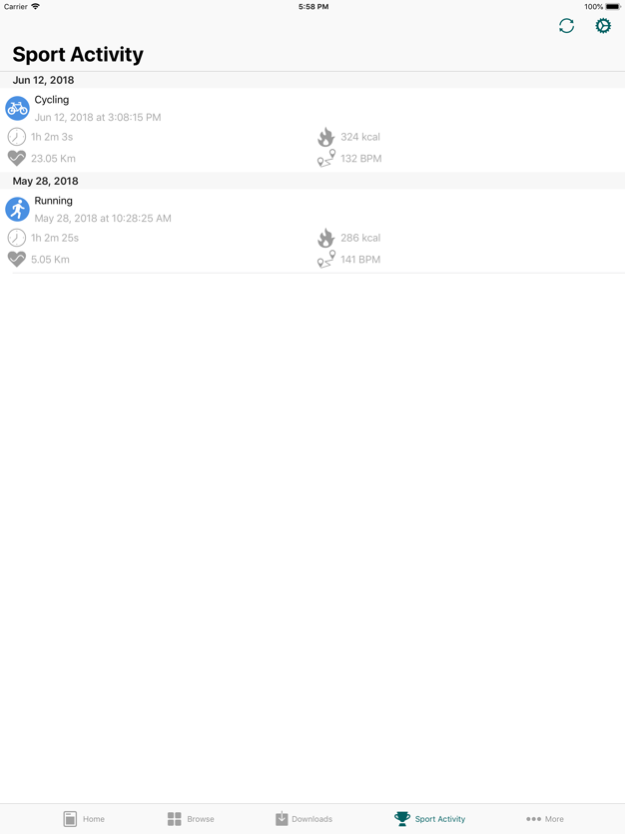
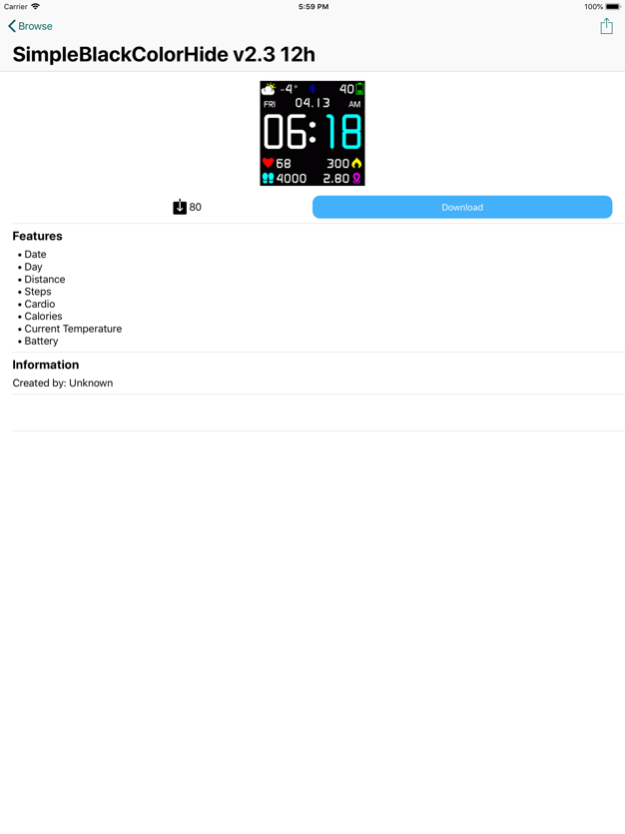
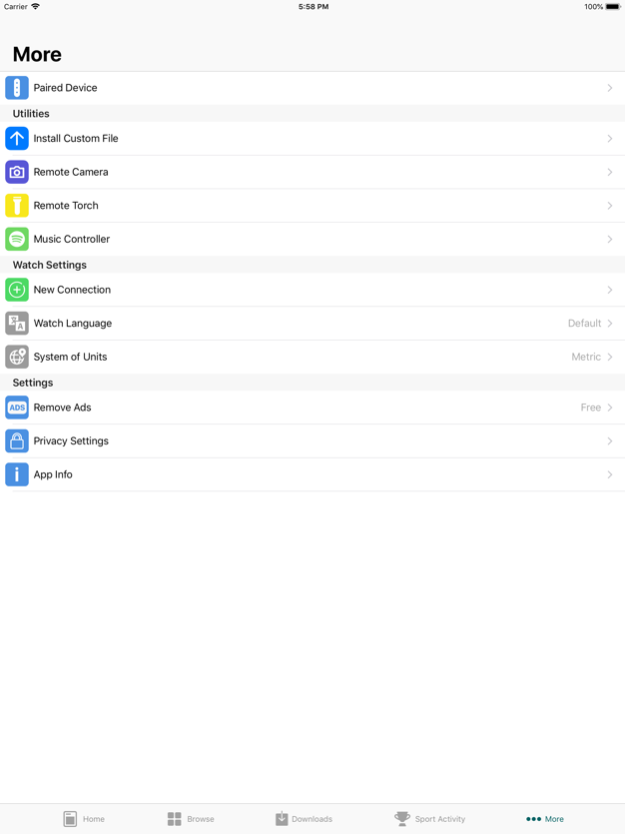
AmazTools is an app that aims to improve your experience with your device by bringing many new features to your wearable!
- The app is developed primarily for the Amazfit Bip, but also supports the Mi Band 2, Mi Band 3, Mi Band 4, Mi Band 5, Mi Band 6, Mi Band 7, Amazfit GTR, Amazfit GTS, Amazfit Band 5 and others!
- Detailed stats on your activities with the option of exporting them to Strava** or as a .gpx, .tcx or .fit file.
- You can save your workouts from the wearable to the Health app.
- You can export your heart rate to the Health App.
- The watchface can be changed directly from your iPhone, with the ability to choose from a pre-made interface or create your own.
- Use your wearable device as a remote control for your iPhone's camera
- Use your wearable device as a remote control for your iPhone's flashlight
- Use your wearable device as a remote control for Spotify's*** music player
- Customisable language settings (Chinese, English, Spanish, Russian, etc).
- Ability to flash a custom firmware.
The feature that allows you to flash a custom firmware should only be used by expert users, we do not take any responsibility for its misuse.
** AmazTools is not affiliated or endorsed by Strava and/or Amazfit in any way. **
*** AmazTools is not affiliated or endorsed by Spotify and/or Xiaomi in any way. ***
Oct 14, 2022
Version 1.2.14
Support for new devices
About AmazTools - Watchfaces & More
The company that develops AmazTools - Watchfaces & More is Mattia Fochesato. The latest version released by its developer is 1.2.14.
To install AmazTools - Watchfaces & More on your iOS device, just click the green Continue To App button above to start the installation process. The app is listed on our website since 2022-10-14 and was downloaded 0 times. We have already checked if the download link is safe, however for your own protection we recommend that you scan the downloaded app with your antivirus. Your antivirus may detect the AmazTools - Watchfaces & More as malware if the download link is broken.
How to install AmazTools - Watchfaces & More on your iOS device:
- Click on the Continue To App button on our website. This will redirect you to the App Store.
- Once the AmazTools - Watchfaces & More is shown in the iTunes listing of your iOS device, you can start its download and installation. Tap on the GET button to the right of the app to start downloading it.
- If you are not logged-in the iOS appstore app, you'll be prompted for your your Apple ID and/or password.
- After AmazTools - Watchfaces & More is downloaded, you'll see an INSTALL button to the right. Tap on it to start the actual installation of the iOS app.
- Once installation is finished you can tap on the OPEN button to start it. Its icon will also be added to your device home screen.
Program Details
System requirements
Download information
Pricing
Version History
version 1.2.14
posted on 2022-10-14
Oct 14, 2022
Version 1.2.14
Support for new devices
version 1.2.11
posted on 2021-11-10
Nov 10, 2021 Version 1.2.11
This update fixes recently encountered issues with some smartwatches.
Read the instructions carefully!
Also fixed:
- Communication problems with some older smartwatches
Disclaimer
Official App Store Link
We do not host AmazTools - Watchfaces & More on our servers. We did not scan it for viruses, adware, spyware or other type of malware. This app is hosted by Apple and passed their terms and conditions to be listed there. We recommend caution when installing it.
The App Store link for AmazTools - Watchfaces & More is provided to you by apps112.com without any warranties, representations or guarantees of any kind, so access it at your own risk.
If you have questions regarding this particular app contact the publisher directly. For questions about the functionalities of apps112.com contact us.
